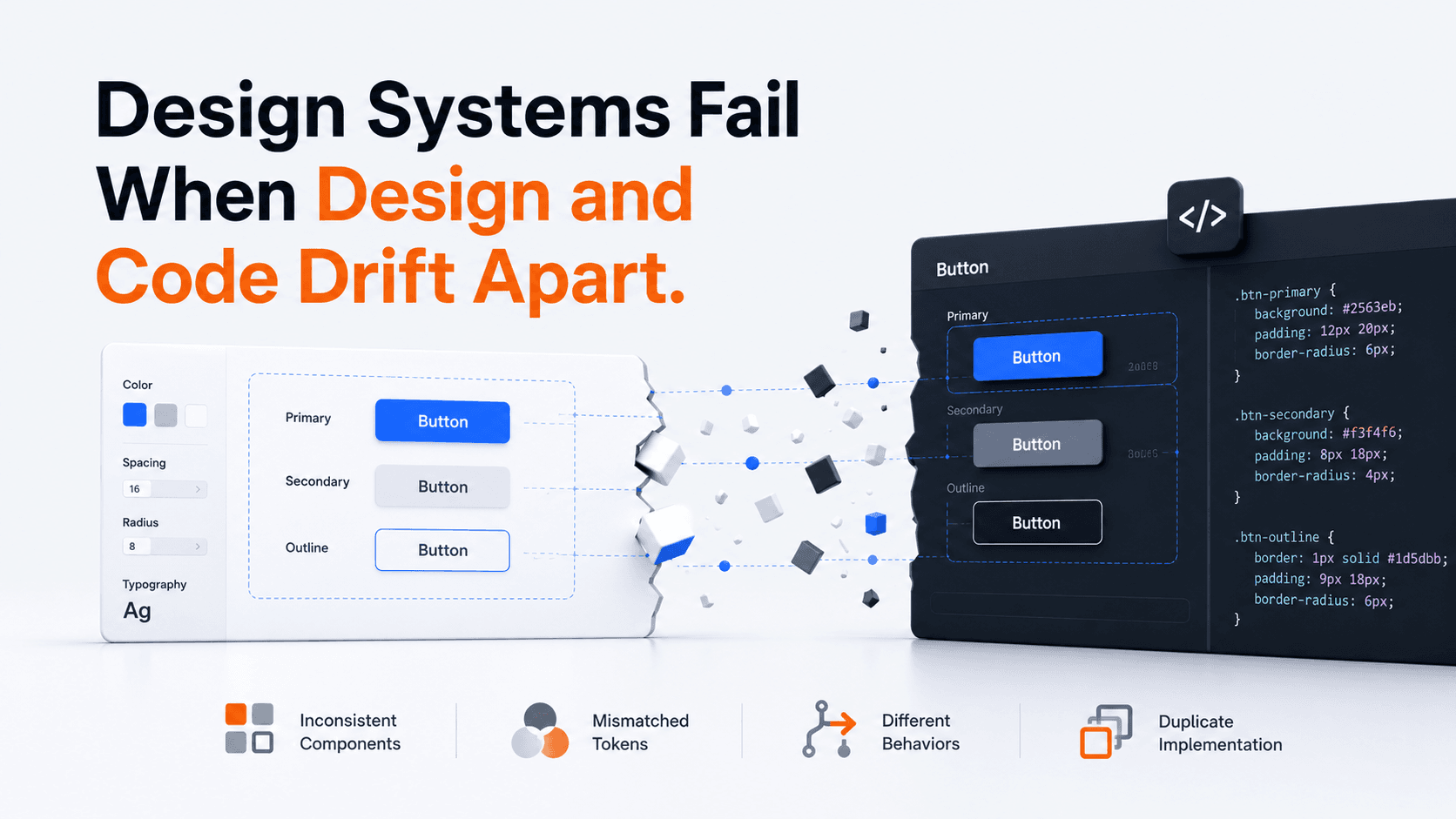
A design system is not only a Figma library or a collection of reusable components. It works when design decisions and implementation stay aligned as the product changes.
A design system usually starts with good intentions.
Designers create reusable components, define colors and spacing, document states, and establish patterns that should make the product more consistent. Developers build corresponding components in code.
For a while, everything matches.
Then the product starts changing.
A designer changes the padding of a card. A developer adds a new button variant for one feature. A team creates a slightly different modal because the existing component does not support what they need. A color changes in the design library but not in the codebase. A component gains a new interaction, while the design documentation still shows the old behavior.
None of these changes look serious on their own. Together, they create design-system drift.
Eventually, design and code still have their own version of the system, but they no longer describe the same product. That is where the real problem begins.
A Design System Is an Agreement
It is easy to think of a design system as a collection of assets. In design, that may mean components, variables, styles, and tokens. In development, it may mean coded components, CSS variables, documented APIs, and reusable utilities.
But those are only representations of the system. The actual design system is the agreement between them.
A button called “Secondary” in design should not behave like a different component called “Outline” in code unless the difference is intentional and understood. If a component has disabled, loading, error, hover, focus, and responsive states in production, the system should account for them. If accessibility behavior is part of the pattern, implementation should preserve it.
When those relationships become unclear, teams stop depending on the system and start making local decisions. That is usually the beginning of inconsistency.
A design system is not a Figma library plus a component library. It is the shared contract that keeps both describing the same product.
Drift Usually Starts Small
Design-system drift usually begins with a major failure. It usually starts with reasonable decisions made under pressure.
A feature needs to ship quickly, so an existing component is modified locally. A designer needs a variation that does not exist yet, so they detach the component and adjust it. A developer discovers that the documented component cannot support a real technical requirement, so they extend it without updating the design source. Another team later solves the same problem differently.
The product now has two versions of something that was supposed to be one pattern. Over time, those differences accumulate.
- Buttons with slightly different heights, labels, or interaction states
- Several versions of the same card or modal
- Inconsistent spacing across pages
- Duplicated components with different names
- Different loading or error behavior for similar actions
- Accessibility fixes applied to one implementation but not another
- Tokens that no longer match between design and code
At that point, the problem is no longer only visual consistency. It becomes a product and engineering problem.
Users Experience the Drift Too
Most users will never know that a product has a design system. They will notice when the product feels inconsistent.
A form behaves one way on one page and differently somewhere else. The same type of action uses different labels or interaction patterns. Keyboard focus is clear on one component and almost invisible on another. A dialog can be closed with Escape in one part of the product but not in another. A responsive component works correctly on one page while a locally modified copy breaks on smaller screens.
Consistency matters because people can reuse what they already understood. When similar things behave differently, that advantage disappears.
The system may still look reasonably consistent in screenshots while becoming behaviorally inconsistent in use. That distinction matters.
Drift Also Creates Engineering Cost
The impact is not limited to UX. When teams stop trusting shared components, they start rebuilding things locally.
Now the same bug may need to be fixed in several places. An accessibility improvement has to be repeated across multiple implementations. A visual change that should require one component update becomes a search across the codebase. Testing becomes harder because similar-looking elements do not necessarily share the same behavior.
Future designers and developers also have to answer an increasingly difficult question: Which version is correct?
This slows product work. A design system that was created to reduce duplication can eventually become another source of uncertainty.
Keeping design and code aligned is not just design-system maintenance. It affects development speed, maintenance cost, accessibility, and the ability to change the product safely.
The Design File Cannot Be the Only Source of Truth
There is a common assumption that developers should implement what exists in the design file. That works only up to a point.
A design file cannot fully represent everything a production component needs to handle. Real components have APIs, content constraints, browser behavior, accessibility semantics, dynamic states, data conditions, and technical limitations.
Likewise, the coded component cannot become the only source of truth. If implementation changes without being reflected in design, designers begin creating screens based on an outdated model of the product.
The healthier approach is to treat design and code as two views of the same system. Each contains information the other does not. The goal is not to decide which one controls everything. The goal is to keep the contract between them explicit.
What Staying Aligned Looks Like
Keeping design and code aligned does not require a complicated governance process. It requires clarity.
A component should have a defined purpose and vocabulary that both designers and developers understand. Important variants and states should be known. Tokens should represent the same decisions across design and implementation. When a component changes meaningfully, the change should reach both sides of the system.
Documentation should also stay close to the implementation rather than becoming a separate artifact that nobody trusts. The point is not to produce more documentation; it is to make the current behavior, variants, constraints, and intended usage visible to the people who depend on them.
That is the difference between maintaining a library of UI pieces and maintaining a system.
Someone Has to Own the Connection
Design-system ownership is often discussed as though it belongs either to designers or developers. In practice, the connection between the two also requires ownership.
Someone has to notice when a new design variant has no implementation. Someone has to question why a local component was created instead of extending an existing one. Someone has to make sure accessibility behavior is part of the shared pattern rather than a one-off fix. And someone has to recognize when an engineering constraint means the design itself should change.
This is one of the areas where UX Engineering becomes particularly valuable. The role is not only to translate a design into frontend code. It is to understand the design intent, the technical implementation, and the product behavior well enough to keep them connected.
A Design System Has to Evolve as One System
No useful design system stays unchanged. Products grow. Requirements change. New states appear. Accessibility improvements are introduced. Technical architecture evolves.
The goal is not to prevent change. The goal is to prevent design and implementation from changing independently.
When they evolve together, a design system can make a product more consistent, easier to maintain, and safer to extend. When they drift apart, the system gradually loses the reason it existed in the first place.
The design library may still look organized. The component library may still contain dozens of reusable elements. But if they no longer represent the same decisions, there is no longer one design system.
There are two incomplete versions of one.