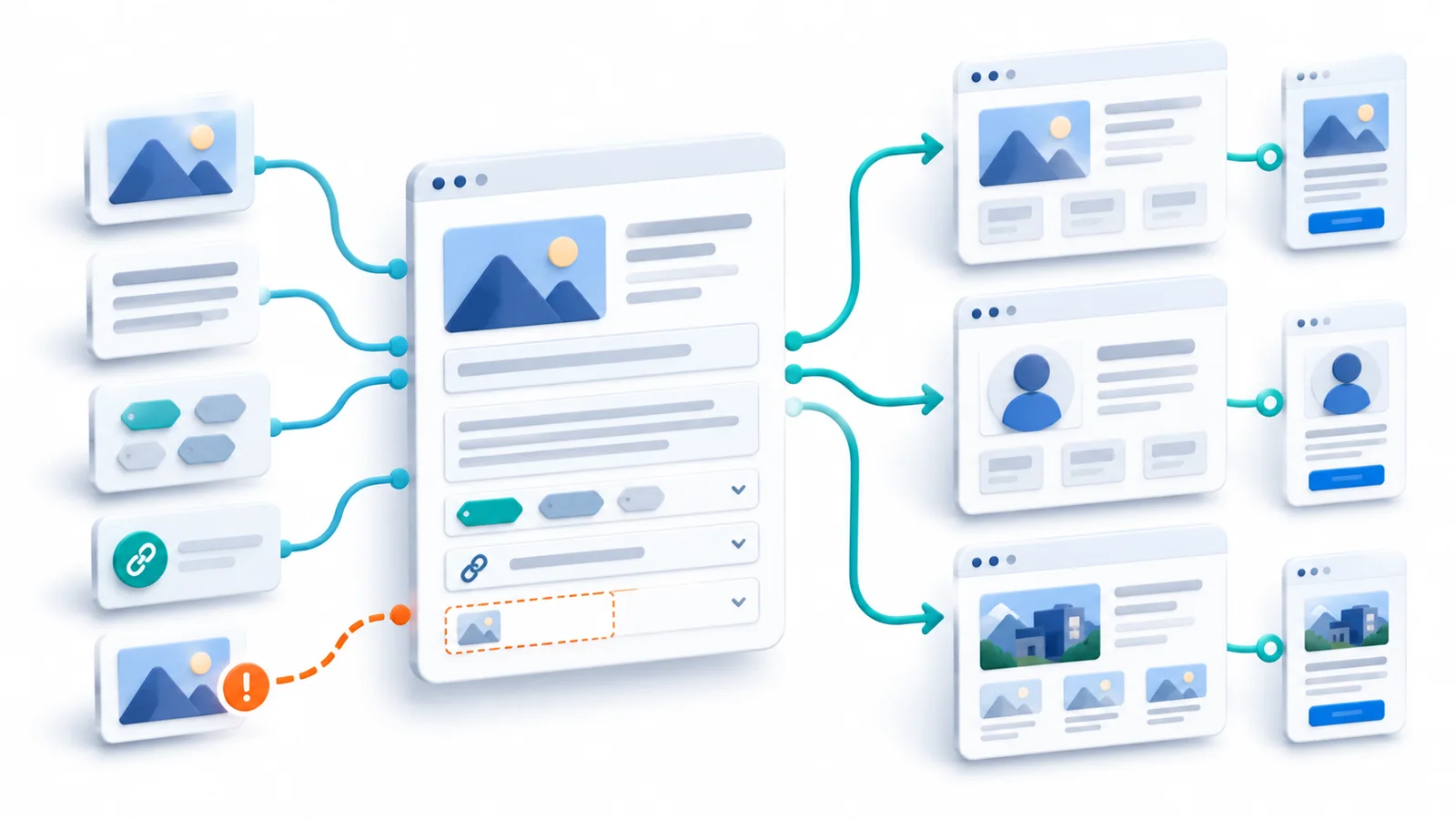
A replacement website can look excellent on launch day and still be a failed migration. Its new homepage loads, the design is responsive, and the pages appear complete. But an old service link returns an error. An Arabic page points to the wrong translation. A contact form displays a success message without delivering an enquiry.
Those problems are easy to miss when a migration is treated mainly as rebuilding the visible interface. The difficult work is often in the connections between the website and everything people already depend on.
Consider an illustrative business moving a bilingual service website to a new content platform while keeping the same domain. Some page addresses will remain unchanged; others may need to move. The company relies on search visitors, a contact form, analytics, and editors who update services in two languages. The scenario is hypothetical, not a report of a Technway client migration.
For that business, success means more than launching the new platform. It means deciding what must continue to work and collecting enough evidence that it does.
Define what must survive before deciding what changes
The starting point is not a list of old plugins or new framework features. It is an inventory of important user and business activities: visitors finding service pages, choosing the right language, contacting the company, and staff publishing correct information without a developer.
For each activity, ask what the old website provides, what the new one should provide, and how the result can be verified. Some behavior is intentionally changing. Some must remain the same. Some may be retired because the business no longer needs it. Those distinctions should be explicit rather than inferred from a redesign.
The priority is not necessarily preserving every pixel or every implementation detail. It is preserving the outcomes and access routes that matter while allowing deliberate improvements. A narrower launch with stable content and working contact paths may be safer than changing the platform, information structure, and all public URLs without a verified reason.
Treat public URLs as promises to existing visitors
A website’s public addresses already appear in search results, bookmarks, emails, social posts, advertising campaigns, and links from other websites. A new CMS may generate cleaner-looking slugs, but those old addresses do not disappear from people’s expectations when the new code is deployed.
For pages whose URLs can remain the same, preserving them often removes unnecessary migration work. For pages that genuinely move, map each important old URL to the most relevant new destination. Google’s site-move guidance (opens in a new tab) recommends server-side permanent redirects such as 301 or 308 for changed URLs, and warns against sending unrelated old pages to a generic homepage.
The mapping should be tested, not merely filed away. Does the old address reach a useful destination? Are redirect chains avoided? Do internal links, canonical signals, and sitemaps describe the new URLs consistently? A page that looks correct through the new navigation may still be unreachable through the old link that customers use.
There is an important distinction between a change in platform and a change in public URLs. Google publishes separate guidance for changing hosting without URL changes (opens in a new tab) and for site moves that change URLs. A same-domain redesign does not automatically need a blanket redirect campaign; its requirements depend on what actually changes.
Follow one enquiry from entry page to confirmed receipt
For a service business, a contact journey may be more important than the homepage animation or a perfect automated score. In our illustrative migration, start with an existing service-page link. Follow it to the new page, find the contact action, complete the form on a supported device, and verify that the intended receiving system actually obtains the enquiry.
A success banner alone is weak evidence. It proves that the interface displayed a message, not necessarily that a server accepted the submission, an email was delivered, or a CRM record was created. If the new platform changes spam protection, validation, notification rules, or a third-party integration, the apparent result and the business result can diverge.
Analytics needs a separate check. A tracking event should correspond to the intended action, not simply fire when someone clicks Submit. Google’s GA4 DebugView (opens in a new tab) can help inspect incoming events on a test device when debug mode and consent settings permit it. That confirms event collection in the test conditions, not whether a qualified lead reached the sales team.
This gives the migration two observable outcomes: a visitor can complete the journey, and the business can receive and measure the result. Checking one without the other leaves a real gap.
Content and language continuity need their own verification
Content migration is not just copying titles and paragraphs. A service entry may depend on images, documents, structured fields, internal links, localized variants, page metadata, and relationships to other pages. If the new content model differs, a migration script may import every record while dropping fields that the public experience still needs.
Bilingual sites require extra care. An English page and an Arabic page should be checked as separate user journeys: the correct content, navigation, directionality, and language links must be present. For equivalent localized URLs, Google’s international-site guidance (opens in a new tab) explains the role of hreflang annotations. Those annotations should match the pages that actually exist, not an assumed one-to-one translation list.
There is also an editorial contract after launch. Can the person responsible for a service page update its information, preview a draft, publish the right language version, and correct a mistake? A migration that moves content into a technically elegant system but makes every routine edit dependent on developers may solve one problem while creating another.
Build a continuity map that can be tested
The table below turns the hypothetical website’s dependencies into explicit checks. Its purpose is not to generate a universal migration checklist; it identifies the promises that this business would reasonably want to preserve.
| What must survive | Potential migration failure | Evidence to gather |
|---|---|---|
| Existing entry routes | Indexed or shared URLs end at 404 or irrelevant pages | Test representative old links and final destinations |
| Bilingual content | Missing fields, images, or incorrect equivalent-language links | Compare important EN/AR pages and metadata |
| Enquiry journey | Success UI appears without accepted or received submission | Submit a test enquiry; verify backend receipt |
| Measurement | Events fire on clicks rather than confirmed business actions | Inspect test events and compare with accepted records |
| Editorial workflow | Staff can no longer preview and update content independently | Have an intended editor publish and revise a page |
| Operational continuity | New hosting, access, or rollback depends on undocumented assumptions | Test launch access, monitor errors, and rehearse recovery decisions |
A continuity map also reveals who needs to participate. Search and content decisions may require a content owner. Form delivery may depend on an external service administrator. An editor should validate editorial tasks, while engineers verify routing, integration, deployment, and recovery. Treating all of that as a single developer sign-off weakens the evidence.
The cutover changes which risks become real
Pre-launch checks are necessary, but the production transition has conditions that a staging preview cannot fully reproduce. If moving hosting, traffic may reach old and new infrastructure during DNS caching and propagation. Google advises preparing and testing the new environment (opens in a new tab), adjusting DNS settings as appropriate, monitoring both old and new servers, and retiring the old one only when traffic has moved reliably.
The exact cutover depends on how the site is deployed. Replacing an application on the same hosting platform may not require changing DNS at all. A move to new hosting may require careful DNS, certificate, caching, and infrastructure coordination. Neither situation should be described as a one-click release with automatic rollback.
Rollback also needs a realistic definition. If the new website has accepted enquiries or new content since the switch, returning traffic to the old platform could strand those records unless the team knows how they will be preserved or reconciled. If the old platform is incompatible with a new data format, reverting code alone may be insufficient.
Before switching traffic, agree who can make the go/no-go decision, what observations would stop it, what can be corrected without reverting, and what rollback would do to new data. These questions become especially important when the website is connected to bookings, commerce, or account systems.
Use a release decision, not just a screenshot approval
In the illustrative scenario, the following decision table separates blockers from uncertainties that can reasonably be watched after launch. These are examples of judgments based on evidence; a team’s real thresholds must reflect its site and business.
| Cutover observation | Evidence | Suggested decision |
|---|---|---|
| Old service URL returns 404 | Known entry route has no useful destination | HOLD — repair mapping or preserve route |
| Contact form says success but no enquiry arrives | End-to-end delivery check fails | HOLD — restore confirmed submission |
| Production retains staging noindex | Indexing block is verified | HOLD — correct before launch |
| Search rankings fluctuate after mapped URL changes | Routing and indexing configuration pass checks | MONITOR — investigate if errors appear |
| Old hosting still serves some requests during DNS change | Expected transition; both systems are safe to serve | CONTINUE — monitor and retire old host deliberately |
A site should not be considered safe merely because its new design has been approved. Equally, demanding that every search metric remain identical immediately after a URL migration is not a useful release gate: Google warns that ranking and indexing can fluctuate (opens in a new tab) while a site is recrawled. The better distinction is between controllable technical failures, unresolved critical journeys, and monitored outcomes that take time to stabilize.
Watch the migration after the switch
A launch is an observation point, not the end of verification. During the early period, monitor important form and integration outcomes, production error logs, legacy URL requests, redirect failures, crawl and indexing reports, and the main business journeys.
Use comparable baselines where possible, but interpret changes carefully. A drop in analytics events might mean fewer visitor actions, a changed tagging implementation, different consent behavior, or a broken integration. A temporary search fluctuation can occur without a technical failure; a surge of broken redirects or index-blocking responses is a more direct reason to investigate.
Close the migration only when its remaining responsibilities have owners. Important redirects may need to remain in place for an extended period; Google’s guidance generally recommends keeping them for at least a year (opens in a new tab) for URL-changing moves, and longer where old links still serve users. Someone must also own future CMS updates, monitoring, backups, and incident response. Those obligations are part of the cost of changing platforms.
What a successful migration preserves
The best migration plan does not preserve everything indiscriminately. It preserves the important experiences and operating capabilities while allowing the business to change what is no longer useful.
In our example, that means old entry points still lead visitors somewhere relevant, each language works as intended, enquiries reach the business, measurement remains interpretable, and editors can maintain the new content. It also means the team knows how the site will be operated and what it can recover if the launch goes wrong.
A new website is not complete because it looks finished. It is complete when the paths people and the business depend on have been accounted for, tested, and handed over with clear responsibility.