Before going deeper, this article is meant to be a simple guide. It only depends on normal ChatGPT conversations and basic Github usage. I am not going into AI Skills, advanced agent setups, custom automations, or other more complex configurations here.
I also tried to keep everything understandable even for someone who has not used ChatGPT with GitHub before. The goal is to explain the workflow itself first, using the simplest setup possible. I hope you enjoy reading it ; )
A few days ago I wanted to vibe code a new project and started with Codex. After some time I hit the usage limits, so I had to decide how to continue the work.
I could have moved to claude code, and sometimes I actually find claude better for coding. But personally, when I still need to talk through the idea, and do planning like thinking about the architecture, organizing the work then I always prefer ChatGPT.
So I continued from ChatGPT, connected it with GitHub, and this is where the workflow started becoming much more interesting for me 😀
Instead of treating ChatGPT only as a chat and something that answers questions or generates code, I started treating it more like another developer working on the project. The implementation is only one part of the work. There are also issues, planning, branches, pull requests, reviews, CI, and deciding what should happen next.
The goal became that I want to discuss the project and make the important decisions, while most of the normal repository workflow can happen without me explaining every step.
Ideally, after some work is finished, when I want to do testing I just switch to the branch and pull the changes.. it is exactly as someone in the team works with you and you can either just manage, or review and test or also sometimes coding.
Codex Is Better for Coding, but the Limits Matter
Codex is still much better suited for the actual coding environment because it can inspect the full repository locally on my machine and work directly with the tools available to the project. But this does not mean Codex is required for making changes in GitHub. ChatGPT itself can still commit changes and handle the GitHub workflow directly through the connected GitHub plugin.
BTW, normal ChatGPT chatting does not consume that same Codex allowance, so I can usually keep discussing, planning, and working for much longer during the day. It is not literally unlimited because ChatGPT can still have usage limits depending on the plan, but compared with Codex it can sometimes feel almost like infinite working time for this kind of workflow 😀
Connecting ChatGPT to GitHub
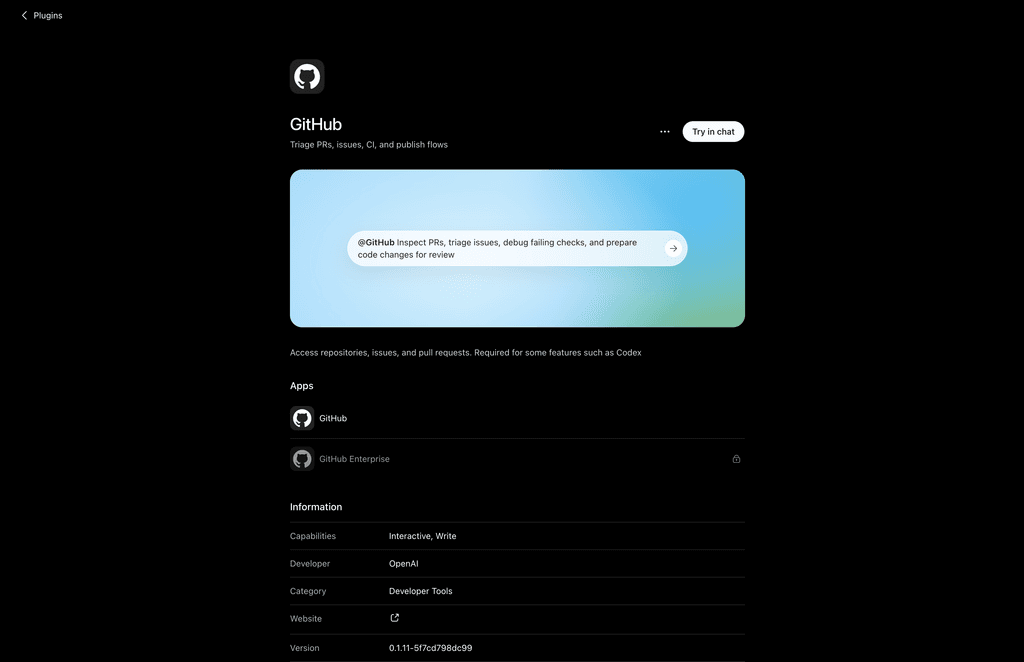
Before continuing, GitHub needs to be connected to ChatGPT. Just open the ChatGPT plugin (https://chatgpt.com/plugins/plugin_connector_1p_1a69035c238881919c4190932b2df699?q=github), then authorize the GitHub account and choose which repositories it should have access to.
If GitHub is already connected and repository access still needs to be configured, open the ChatGPT Codex Connector settings, select the GitHub account or org, and select the repositories ChatGPT should have access to or choose all, and save the changes.
I recommend giving it access only to the repositories that are actually needed. I also think the available actions can also depend on the ChatGPT plan and permissions given to the GitHub integration.
After that, the repository can be used directly from the conversation, so just copy URLs instead of continuously copying code, issues, PRs, and other information into the chat.
One important point here is that I am doing this directly from the normal ChatGPT conversation. With the GitHub plugin and the needed permissions, ChatGPT itself can create branches, change files and commit them, create issues, open PRs, review them, and merge them. I am not using Codex for these GitHub operations, and there is no need to generate ZIP files or manually copy the changes back into the repository. The current Github plugin is listed with write capabilities, so the repository workflow can happen directly from ChatGPT 🙂
GitHub became the state of the project
Keeping the whole project plan inside a ChatGPT chat/conversation becomes messy very quickly, and it is bad for the future when there is a need to review what is already done. So if an issue is discovered today and should be fixed two weeks later, I do not want the only record of it to be somewhere inside an old conversation. The same applies to architecture work, bugs, refactors, documentation, and features that were discussed but intentionally postponed.
GitHub already has a good structure for this. Issues contain the actual work, pull requests contain the implementation, and GitHub projects can contain the current state and priorities. It’s possible to use GitHub discussions for the ideas that need to be discussed and planned more.
This makes GitHub the shared state between me and whichever agent is doing the implementation. ChatGPT does not need to be the only place that knows what is happening. The repository itself contains the history and the project contains the work that still needs to happen.
Starting from scratch
When creating a product from scratch, it is very tempting to immediately ask the agent to build features.
I started preferring to do the opposite.
Before a lot of code enters the repository, I want the repository itself to define how development should happen. If the project is created from scratch, this means creating the repository properly first, configuring the project, and creating issues for the foundations before moving into the actual product features.
For example, I normally want the early work to cover things like:
- Repository and branch rules (if available)
- GitHub Actions and CI
- Automated tests
- Linting and formatting
- Type checking
- Build checks
- Security and quality checks
- Dependabot
- Issue templates
- Pull request templates
- Development and architecture documentation
The exact list obviously depends on the project. A small package does not need the same setup as a large web application or any project.
The important idea is that quality should not exist only inside a prompt.
So when writing this:
please make everything clean, scalable, tested and production ready (0 mistakes)this does not really enforce anything, but automated checks can!
Tests, linting, type checking, builds, and security checks can run automatically through GitHub Actions whenever new changes are pushed or a pull request is opened.
This becomes especially useful when AI is writing more of the code. If something breaks, CI can catch it before I consider the work finished, instead of depending only on ChatGPT remembering every quality instruction from a long conversation.
This becomes especially useful when AI is writing more of the code. If an agent can work quickly, the repository should also be able to reject bad work quickly.
If tests fail, the merge is blocked. If the build fails, the merge is blocked. If required code scanning fails, the merge can also be blocked.
This is much more reliable than expecting the model to remember every quality instruction from a long conversation.
I already saw others described a similar experience. They started from an empty Git repository, and a large part of making the agent effective was building the repository structure, CI, formatting rules, documentation, tools, and guardrails around it. Their conclusion was not simply to ask the agent to try harder when something failed, but to improve the environment so the expected behavior became easier to understand and enforce. And I like this idea a lot!!
The repository should teach the agent how to work.
Proper work starts with an issue
Another rule I started using is that proper work should have an issue before implementation starts.
This might sound unnecessary for a personal project, but it becomes useful once an agent starts doing a lot of the development.
Imagine the current task is authentication. While working on it, the agent notices that the something else could be improved, an unrelated test is missing, and one part of the API should probably be refactored.
All of these might be valid observations, but they do not necessarily belong inside the authentication change.
I prefer creating issues for those findings and continuing with the current scope.
This gives the project a memory. Useful work does not disappear inside an old conversation, but it also does not need to be immediately mixed into whatever PR is currently open!
I think this is even more important now because AI makes generating large changes very easy. I also ready see discussions from developers about AI generated pull requests becoming harder to review because the changes can quickly spread across many files and concerns. BTW, I do not think the solution is making every PR tiny, but the scope should still make sense.
One issue does not need to mean one PR
Having issues for the work does not mean I want to force one pull request for every issue.
For example, imagine the project has these issues:
#21 Add ESLint configuration
#22 Add Prettier
#23 Add type checking to CIThese are separate tasks, but I would probably be fine with one repository quality PR completing all three.
The important part is that every piece of work is tracked and that the pull request clearly links what it completes. And I don’t see much value in creating three branches and three PRs only because there happen to be three issues!
At the same time, unrelated work should not silently enter the same PR.
So the rule I currently prefer is simple. Work should start from issues, and one PR can close multiple issues when they are genuinely related.
I want the workflow itself to be understood
After the repository foundations exist, the normal development loop should not need to be explained every time.
The flow is not something special invented for AI. It is basically normal development:
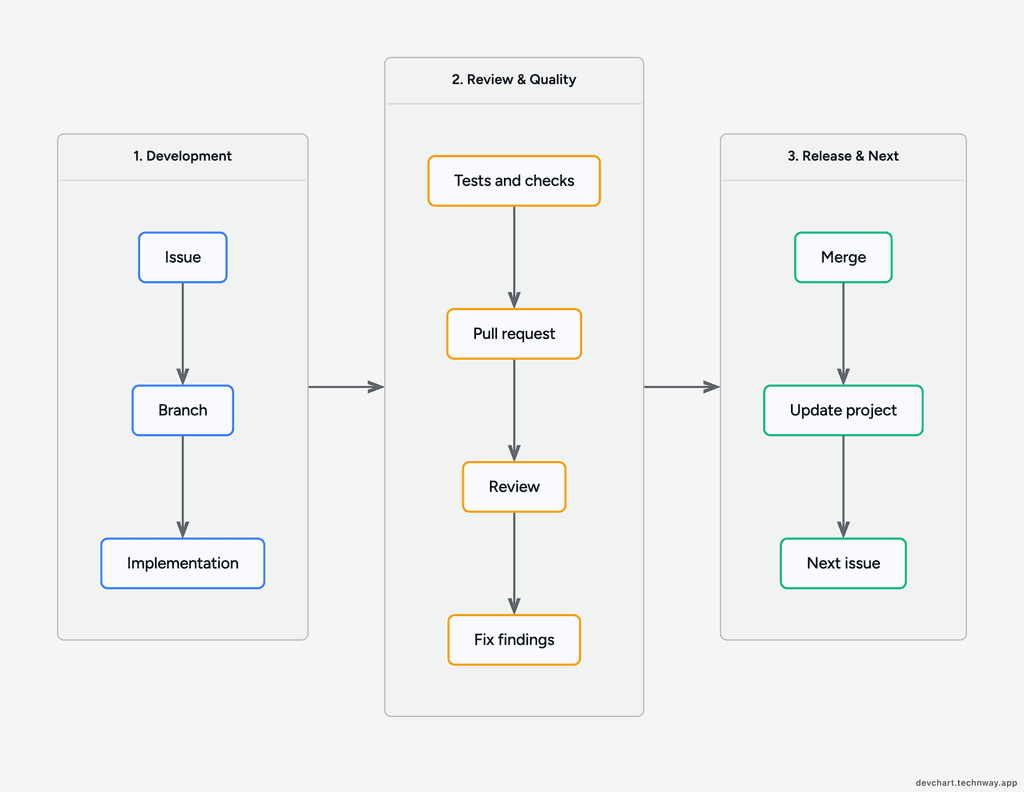
What changes is how much of this process I need to do manually.
If I ask chatgpt to start the next issue, I do not want the task to finish when a few files are changed.
The issue should be moved into progress. A branch should be created. The implementation should be done there. Relevant tests and quality checks should run. A PR should be opened with a useful description and linked issues. CI should be checked before merging.
This is also where issue templates and PR templates become useful. GitHub supports PR templates that can ask for the purpose of the change, related issues, testing notes, and other information needed for review. So, instead of repeatedly asking the agent to write a good PR description, the repository can already define what a good PR should contain!
Reviewing the pull request before merging
I also want the agent to review its own pull request before merging it.
At first, this sounds strange. If the same model created the implementation, how useful can it be to review its own code? 😅
I was unsure about this too, but I started finding the separate review pass useful, and here is why:
Implementation and review are different tasks.. During implementation, the goal is to solve the issue. During review, the goal becomes finding reasons the change might not be ready.
I normally want the review to look at the diff, tests, edge cases, architecture, security, unnecessary complexity, unrelated changes, and whether the linked issues were actually completed.
Something like this is enough to change the context:
Review this PR as another developer

Check the implementation, tests, CI, edge cases,
architecture, security, unrelated changes and code quality

Fix anything that should block the merge

Add any notes as a comment in the PRCI becomes really more important
The repository should verify as much as possible before the PR reaches the final review.
For example, depending on the project:
- build
- typecheck
- lint
- unit tests
- integration tests
- security checks
- coverage
GitHub can make these checks part of the merge requirements. When required status checks are enabled, a PR cannot be merged into the protected/destination branch until the configured checks pass.
This moves a lot of the repetitive verification into CI, so I can focus more on the implementation, architecture, edge cases, and product decisions during the review.
Why I prefer Squash and Merge
Agents can create many intermediate commits while implementing something.
A branch might end up looking like this:
implement feature
fix tests
fix lint
fix edge case
address review
update docs
fix CII do not have a problem with that while the work is happening. I just do not necessarily want all of those commits inside main (or whatever is the default branch). So, for this workflow, I prefer using Squash and Merge.
GitHub’s squash merge combines all of the commits from a pull request into one commit on the base branch. The other common choices are preserving the commits through a merge commit or rebasing them individually onto the base branch.
With squash merging, the final history can stay much simpler:
feat: add authentication flow
feat: add profile settings
fix: prevent duplicate sessionsinstead of containing every correction the agent made during implementation.
This is only my preference. I do not think squash merging is automatically correct for every repository 😀
But when every PR represents one logical piece of completed work, having the merged PR become one proper commit fits very well.
GitHub Projects can handle more than I expected
At first I thought I would need a dedicated project management tool immediately.
For smaller projects, I do not think that is necessarily true anymore.
GitHub Issues and Projects already cover a lot of what I need for a development focused project. The backlog can live there, issues can have priorities and statuses, pull requests are already connected to the code, and project automation can keep much of the state updated.
This is important because I do not want maintaining the board to become another manual task.
If an issue is finished, its status should reflect that. If a pull request is merged, the project should not still show the work as being in progress.
For a new repository, I like starting with a simple kanban board:
- Backlog
- Todo
- In Progress
- In Review
- Done
- Closed
Then the work can become more detailed later if the project actually needs it.
Linear when planning becomes more advanced
For larger planning, I also like using Linear. BTW, Linear has a deeper GitHub integration than I expected (check https://linear.app/integrations/github for information).
Also, Linear has an official ChatGPT plugin, so it can be connected directly to ChatGPT and used from the same conversation (https://chatgpt.com/plugins/plugin_asdk_app_69a089a326dc8191b32a3f2553f5be2c?q=inear).
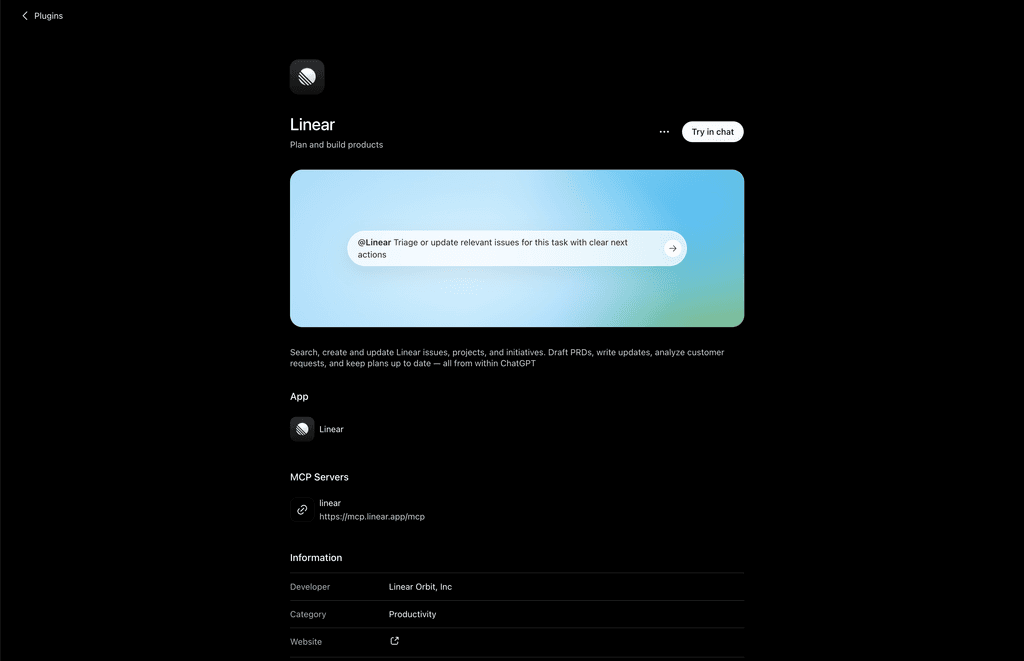
I still would not add Linear to every repository/project. For many projects, GitHub Projects is enough.
But once the planning includes larger backlogs, cycles, multiple projects, product work, or more advanced prioritization, Linear starts making much more sense!
That’s all
So overall, the interesting part for me is treating AI more like another developer (without hitting the limits), while I can make the important decisions, discuss the architecture, change the direction when something does not make sense, and review anything I do not trust.